Most advice about avoiding a disputed damage charge on Tenerife comes down to one habit: photograph the car thoroughly before you drive off. It’s good advice, and it still leaves a gap. Photos prove what the car looked like at one moment. A dispute usually turns on a different question: when exactly did this mark appear?
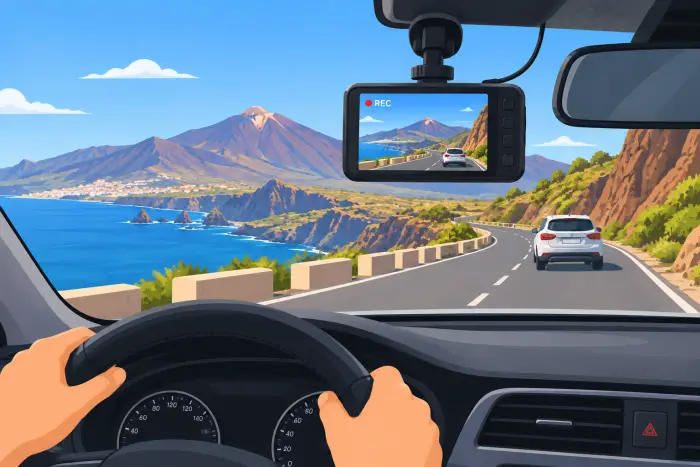
A small dash cam answers that. It keeps recording the whole time you have the car, which turns a handful of pickup photos into a continuous, timestamped record. It won’t settle every dispute, but it strengthens the weakest point in most damage claims: proving when something happened, not only that it did.
What Footage Adds That Photos Can’t
Pickup photos fix the car’s condition at the start, and your return photos fix it at the end. Everything in between is blank. If a charge appears for damage you didn’t cause, footage from the days in question can show that nothing happened on your watch, or show exactly when a bump did happen and who was involved.
It matters most in the situation our guide to disputed excess insurance claims describes: a company alleging damage without a clear timeline, leaving you to prove a negative with only pickup-day photos. It also helps if you’re ever in a collision, however minor. Footage of the seconds before an incident can settle a liability question quickly, which is useful on busy roundabouts where fault in a low-speed bump isn’t obvious afterwards. Our driving in Tenerife guide explains how those roundabouts behave if you want to arrive prepared.
Is It Legal in Spain?
As far as we understand it, recording for personal use is legal in Spain, provided the device doesn’t obstruct your view of the road. That is a general summary, not legal advice, and it’s worth a quick check against current guidance if the footage ever matters to a formal case.
Sharing is where it gets more complicated. Spain’s data protection rules treat footage containing identifiable faces or number plates as personal data, so posting a clip online without blurring those details can create a privacy problem that has nothing to do with the rental. For the purpose this page is about, defending yourself in a dispute, that doesn’t apply: you’re keeping the footage for your own records or showing it directly to the rental company and, if needed, your card issuer.
One more detail for cameras that record sound. Audio captures conversations inside the car, including your passengers’. Many people switch it off for exactly that reason, and it’s rarely what you need as evidence anyway.
Where a Dash Cam Helps and Where It Doesn’t
| Situation | Does a dash cam help? | Why, and what else to do |
|---|---|---|
| A charge appears for damage with no clear date | Yes | Footage can show the car’s condition on the days you had it, alongside pickup photos |
| A collision or near-miss with another vehicle | Yes | Records the lead-up, which helps settle fault; follow our accident guide as well |
| A scuff on the rear bumper while you’re in a restaurant | Rarely | A forward-facing camera can’t see it, and a two-channel setup only helps while the car is recording |
| Damage that was already there at pickup | No | Your inspection photos are the evidence; see damage that isn’t on the original checklist |
| Interior damage | No | The camera faces the road |
| A break-in | No | It records driving, and it’s a target itself if left visible |
A dash cam is a defence against a narrow but real category of dispute. It sits alongside the full documentation process, including the counter-tactics described in our desk pressure guide, not instead of it.
Choosing a Setup for a Short Rental
You’re fitting something to someone else’s car for a week or two, so the simplest option usually wins.
| Setup | Good for | Watch out for |
|---|---|---|
| Suction-mount camera on a 12V or USB cable | Most rentals: nothing permanent, easy to remove | Check the cable length and keep it tidy so it doesn’t get in the way |
| Your phone on a car mount, using a dash cam app | A first trip, or a one-off if you don’t want to buy anything | It drains the battery and can overheat in strong sun, and mounting is your own responsibility |
| Two-channel camera with a rear unit | Extra coverage for longer or more complex trips | More cable and more setup time in a car you don’t know |
| Hardwired installation | Your own car | Not appropriate in a rental: it modifies someone else’s vehicle |
Avoid adhesive mounts on the windscreen. A suction mount usually leaves no trace, whereas adhesive can mark the glass, and glass is exactly the kind of thing rental companies check at return.
Setting It Up in the First Ten Minutes
Do this before you leave the car park, while you’re still in front of the desk.
| Step | Why it matters |
|---|---|
| Set the date and time correctly | A timestamp that’s wrong undermines the whole point; compare it with your phone |
| Check the memory card and loop recording | Make sure it will record continuously and overwrite old clips only when full |
| Mount it behind or near the rear-view mirror | Keep the road view clear, in line with the rule that it must not obstruct your sight |
| Record a short test clip and play it back | Confirm the picture, the date and the angle before you rely on it |
| Route the cable out of the way | It shouldn’t touch the pedals, gear stick or your arm |
Pickup, Return and Everything in Between
Your dash cam doesn’t replace the pickup routine. Take the photos and slow video of every panel first, as our inspection checklist describes, then start the camera. Do the same at return: film the car in the same light before you hand over the keys, and keep the clip.
🚗 Discover Tenerife – Best Car Rental Deals
Compare top-rated suppliers, no hidden fees & free cancellation included.
If something does happen on the road, whether a bump, a scrape you didn’t cause or an odd noise, stop and save that specific clip straight away rather than letting the loop overwrite it. Then keep everything together: the footage, your pickup photos and the signed contract.
What to Do With the Footage Afterwards
Don’t delete anything until well after the deposit has come back and you’re sure no charge is on its way. Dispute letters can arrive weeks later, so keep the clips at least that long, and copy them from the card to your phone or laptop before you fly.
If a charge does arrive, send the relevant clip with a short written account and your photos, following the steps in our complaint and dispute guide. A rental company isn’t obliged to treat footage as conclusive, but a clear, timestamped clip is much harder to wave away than an unsupported claim. If the company refuses to engage, the same footage helps in a chargeback request to your card issuer.
When the Car Is Parked
Take the camera with you, or at least hide it and its cable. A visible device and a dangling cable can attract a break-in, which is a real risk for rental cars on the island. Our rental car theft guide explains what’s behind it and how to lower your chances.
Some cameras offer a parking mode that records while the car is off. On a rental it’s usually not worth it: it relies on a hardwired or battery-backed setup, and a drained car battery is a far bigger problem than a missing clip.
Questions Before You Pack One
Do I need to tell the rental company I’m using a dash cam?
No. It’s your own device for your own records, and the rental agreement doesn’t require you to disclose it.
Will the footage be accepted if I dispute a charge?
It can be, especially when it clearly shows the relevant period, but a company isn’t obliged to treat it as conclusive. It’s strongest combined with your photos and a written account of events.
Is it worth buying one for a single trip?
A basic model is cheap enough to be a reasonable one-off purchase if you’re wary of a particular company, and it stays useful on future trips or in your own car.
Can I post a clip online?
Be careful. Footage with identifiable faces or number plates counts as personal data in Spain, so blur those details before you share anything publicly.
Could a camera on the windscreen cause a problem at return?
A suction mount normally leaves nothing behind. The risk comes from adhesive mounts that mark the glass, so avoid those and remove the camera before you hand the car back.
Does fitting a camera affect my rental cover?
Cover terms differ between companies, so ask before you travel if you’re unsure. Whatever you fit, you’re responsible for any damage the fitting itself causes, which is another reason to stay with a removable suction mount and a tidy cable.
How big a memory card do I need?
Enough to hold a day or two of loop recording is plenty for most trips. What matters more is saving the clip you need before the loop overwrites it, so make a habit of checking the card after any incident.
One Layer in the Folder
A dash cam is one more piece of evidence, not the whole file. Photos, video of the walkaround, the contract and the footage together make a dispute short; any one of them alone leaves room for argument.